You know that feeling when you're using ChatGPT's voice mode?
You just talk, and it understands. It's natural. It's fast. It feels like the future.
Now imagine that — but in Slack. In VS Code. In Notion. In your email. In your terminal. Everywhere.
That's Codiris Voice.
Your AI Voice Assistant, System-Wide
With ChatGPT, you're stuck in one app. You talk, get an answer, then copy-paste it somewhere else. Context switching. Tab juggling. Friction.
Codiris Voice eliminates all of that.
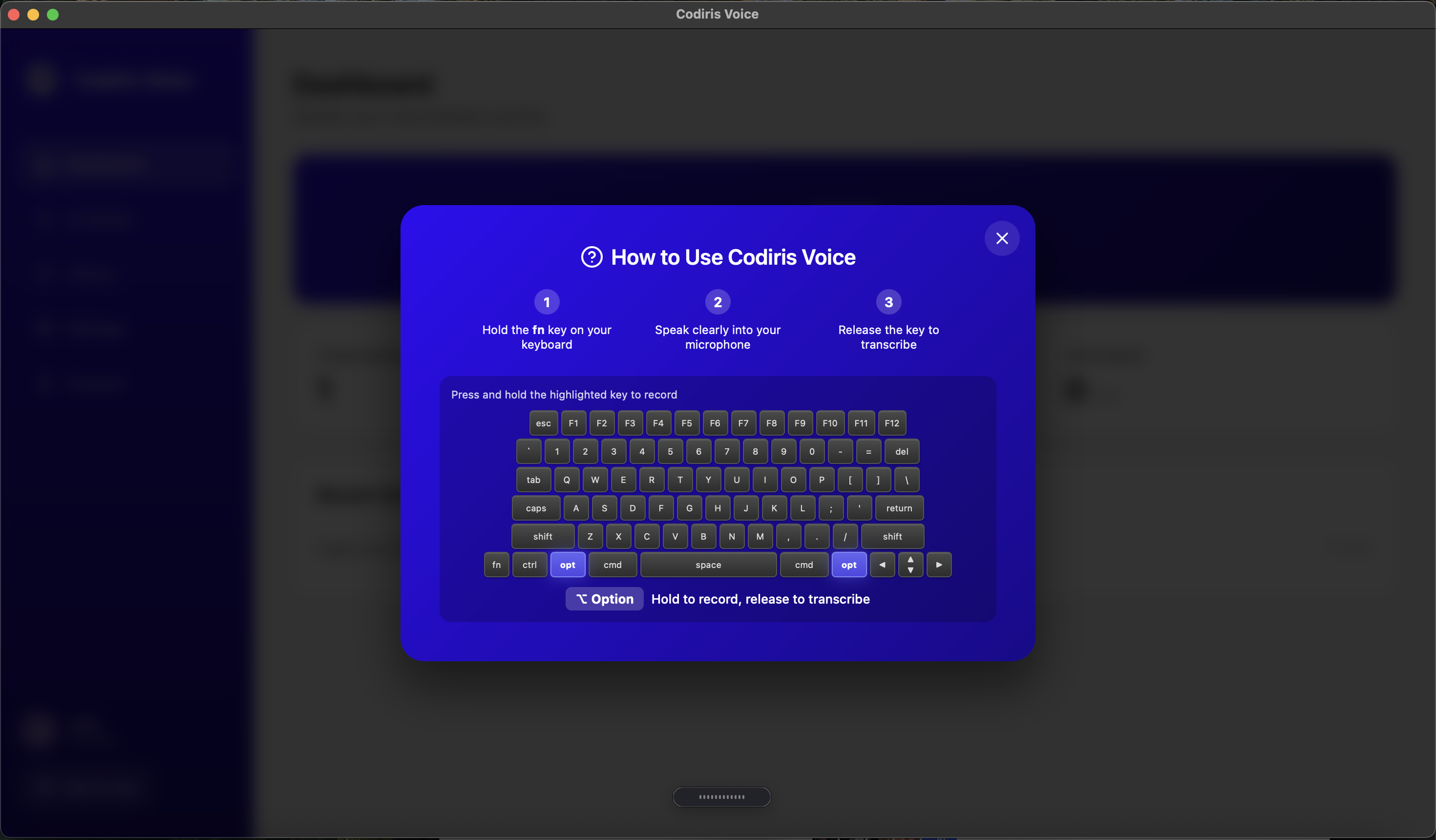
Hold Option. Speak. Release.
Your words — transformed by AI — appear exactly where your cursor is.
Any app. Any text field. Instantly.
It's like we took ChatGPT's voice mode and injected it directly into macOS.
Not Just One Mode — Nine. Plus Your Own.
Here's where it gets powerful.
Built-in Modes
Create Your Own Modes
This is the game-changer.
Don't like how the built-in modes work? Create your own.
Want a mode that always responds in French? Done.
A mode that formats everything as Markdown tables? Easy.
A mode that writes in your brand's specific tone of voice? You got it.
Now you have a personalized AI voice assistant that works exactly how you think.
Real Examples, Real Workflows
In Slack
You say:
"Hey tell the team I'll be 10 minutes late to standup, something came up with the deploy"
What gets typed:
"Hey team, I'll be about 10 minutes late to standup — dealing with a quick deploy issue. Start without me!"
In VS Code
You say:
"Create a function that takes an array of numbers and returns only the even ones"
What gets typed:
const filterEven = (numbers) => numbers.filter(n => n % 2 === 0);
In Your Browser (Ask Me mode)
You say:
"What's the difference between useEffect and useLayoutEffect in React?"
Result:
AI types the answer directly into your current text field.
In Notion
You say:
"Okay so the meeting was about three things, first we talked about the Q2 roadmap and what features to prioritize, then we discussed the new hire starting Monday, and finally we agreed to push the deadline to March 15th"
What gets typed:
- Q2 Roadmap: Discussed feature prioritization
- New Hire: Starting Monday
- Deadline: Pushed to March 15th
The Floating Bar: Your Command Center
A sleek, minimal pill lives at the bottom of your screen.
- •See your current mode at a glance
- •Watch the waveform animate as you speak
- •Right-click to switch modes instantly
- •Drag it anywhere you want
- •Double-click for settings
It's always there when you need it. Invisible when you don't.
Why This Changes Everything
Before Codiris Voice:
- 1. Open ChatGPT
- 2. Click voice mode
- 3. Speak your question
- 4. Wait for response
- 5. Copy the text
- 6. Switch to your app
- 7. Paste
With Codiris Voice:
- 1. Hold Option
- 2. Speak
- 3. Done.
That's not an incremental improvement. That's a paradigm shift.
Privacy & Security
- Voice processed via secure API (OpenAI Whisper + GPT)
- API keys stored in macOS Keychain (not plain text)
- No recordings stored on our servers
- Works offline for basic transcription (coming soon)
Coming Soon
Windows & iOS
Join the waitlist
More languages
Expanded translation support
Team workspaces
Share custom modes with your team
API access
Build voice into your own apps
The Bottom Line
ChatGPT showed us what voice AI could be.
Codiris Voice puts it everywhere you actually work.
Your voice. Any app. Your rules.
Currently available for macOS. Windows and iOS coming soon.
macOS · Windows & iOS coming soon